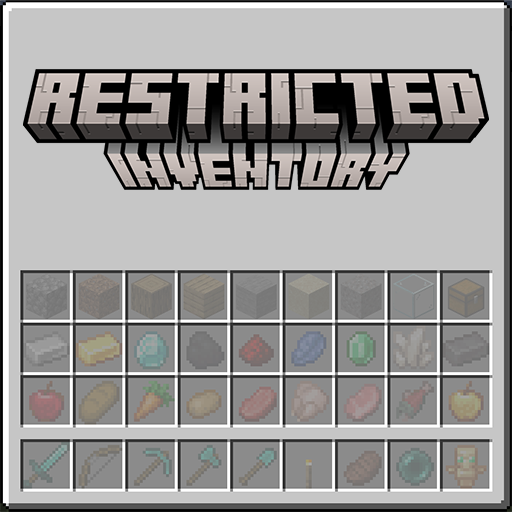
Configuration
RestrictedInventory uses JSON files powered by CoolerConfig. Changes are watched and reloaded while the game or server is running.
Common configuration
Path: config/restrictedinventory-common.json
| Key | Type | Default | Purpose |
|---|---|---|---|
useClientRestriction | boolean | false | Use each player's client rules instead of one shared server ruleset |
useTeamAndTagRestrictions | boolean | false | Read teamRestrictions and tagRestrictions and let them target individual players |
restrictedSlots | object | {} | Map a slot index to an item, tag, or variant-aware entry |
groups | object | {} | Named sets of entries a slot can be restricted to as a whole |
teamRestrictions | object | {} | Rules per vanilla scoreboard team name |
tagRestrictions | object | {} | Rules per vanilla entity tag |
When shared rules change, the server synchronizes them to players. Changing the scope also refreshes command permissions.
groups is defined here only, and is synchronized to every connecting client so that a group id means the same thing on both sides. See groups and displays.
teamRestrictions and tagRestrictions are read only while useTeamAndTagRestrictions is true. A player matched by one of those rules uses it instead of restrictedSlots; everyone else keeps using restrictedSlots. See teams and tags.
Client configuration
Path: config/restrictedinventory-client.json
| Key | Type | Default | Purpose |
|---|---|---|---|
showSlotIndex | boolean | true | Show inventory slot indices while Tab is held |
restrictedSlots | object | {} | The player's rules when client restrictions are enabled |
Client restrictedSlots are ignored while the server has useClientRestriction set to false.
Slot numbering
| Range | Inventory area |
|---|---|
0–8 | Hotbar, left to right |
9–35 | Main inventory, left to right from the top row (9–17, 18–26, 27–35) |
Only indices from 0 through 35 are valid. Armor and offhand slots are not part of this ruleset.
Restriction values
| Value | Slot preview | Meaning |
|---|---|---|
"minecraft:diamond_sword" |  | That one item |
"#minecraft:swords" |  # # | Any item in the tag; the preview cycles through its members |
{"item": "...", "tag"/"components": {…}} |  | The item, narrowed to stacks carrying that variant data |
{"item": "...", "display": …} |  | The item, drawn as some other stack |
{"group": "..."} |  | Anything in the named restriction group |
Use an item ID for one item, or start an item tag with #:
{
  "useClientRestriction": false,
  "restrictedSlots": {
    "0": "minecraft:torch",
    "1": "#minecraft:swords",
    "8": "minecraft:totem_of_undying"
  }
}This reserves hotbar slot 0 for torches, slot 1 for any sword in the tag, and slot 8 for a totem of undying:


For exact variants, replace the string with an object. Minecraft 1.20.1 uses item with tag; newer versions use item with components. Existing string entries remain valid. See variant filters.
To change only the icon a slot draws, or to accept any of several entries at once, see groups and displays. To give different players different rules, see teams and tags.